
Make your roleplay feel real, one system at a time.
DaRolePlayStore makes HUDs and systems for Second Life that slow things down in a good way. Care that takes real minutes, homes that actually get dirty, security that actually alerts. Everything is built and tested in-world by roleplayers.

Our systems
Pick one to see everything it does.

Peekaboo Life
For Everwell patientsBot baby and kid care from newborn to 10 years. Feeding, diapers, potty training, sleep, school, health, weather, birthdays and family, all in real time. Parents have health too, kids make friends, medicine comes straight from the bottle, and there's the CuddleCare nanny.
See Peekaboo Life →
AFK Guardian
In testingSpots visitors who have gone away from their keyboard, asks if they're still there, and clears out the ones who aren't. Plus a visitor log and Discord notices.
See AFK Guardian →
Filthy Cleaning System
Available nowDirty floors, counters and trash cans that build up real grime over real time, plus a Bathroom Add-On (in beta) with its own Toilet, Tub and Shower.
See Filthy Cleaning System →
DING Security
Available nowA touch panel, CCTV doorbell, indoor cameras and entry sensors that alert you by IM and Discord, plus a HUD that runs it all from your pocket.
See DING Security →Wellness HUD
In testingMedical roleplay in real time. A cycle, pregnancy and everyday needs for patients, and a Provider HUD for doctors, with an optional pharmacy.
See Wellness HUD →See them in action
Join the DaRolePlayStore Discord
The best way to reach us. Get help with setup, hear about updates first, see sneak peeks and share your ideas.
Find us in-world
Visit DaRolePlayStore at Angel Bay (175, 107, 4001) to see every system up close, or shop the Marketplace store.
Join the Discord
Updates, help with setup, beta testing and sneak peeks all happen in the DaRolePlayStore Discord.
Free updates
When a system gets better, you get the update for free. Our updaters keep your saved info, so nothing starts over.

Real RP care that takes real time.
Your bot baby grows from newborn to 10 years old. Every feeding, diaper change, nap and school day plays out in local chat so you can actually roleplay it.
See Peekaboo Life in action
Six stages, from first weeks to big kid
Your child ages day by day, or you can set an age and freeze it there. Menus only show what fits their age, so a newborn gets nursing and burping and a 7-year-old gets homework and chores.
- Newborn0–3 mo
- Infant3–6 mo
- Baby6–12 moPurees, teething, first finger foods
- Toddler1–3 yrsMeals, snacks, potty training from 18 months, real toddler talk
- Preschool3–6 yrsDaycare, bedtime routines, behavior with personality
- Kid6–10 yrsSchool, homework, chores, screen time, stars and rewards
The bar is drawn to scale: the first year goes by fast, so every week counts.
A bottle feeding, start to finish
Nothing happens in one click. Care takes real minutes so there's time to roleplay it, and the baby reacts in local chat the whole way through.
Novalie spots the bottle and kicks her legs, ready to eat.
Novalie drinks steadily, little hands patting the bottle. (4 oz to go)
Novalie lets out a big burp and relaxes in your arms.
- MakeMix a bottleBreast milk from your stash, formula from your Formula Can, or a mix. Add cereal if you want. Your HUD holds up to 5 bottles.
- WarmWarm it upType how many minutes your bottle warmer takes, or serve it room temp.
- FeedFeed by the ounceBaby drinks a little at a time. A full bottle takes real minutes, and you can stop anytime.
- 1–2 minBurpSkip it and baby might spit up or get fussy later.
- LaterDiaperWhat goes in comes out. Dirty diapers take longer to change, and waiting too long can cause a rash.
Care for the whole child
Feeding & nursing
- Nursing that depends on mom's real milk supply
- Pumping, with a milk stash that expires like real life: room temp 4 hours, fridge 4 days, freezer about 6 months
- Get full, engorged and even leaking if you skip feeds
- Formula, breast milk or mixed bottles, plus baby cereal
- Purees, finger foods, snacks and meals as they grow. Type what you're serving and every emote names it
- Breakfast, lunch and dinner: your child remembers today's meals and may tell you about a skipped one
- Juice, water, milk or any drink you type. Drinks get drinking emotes, food gets eating emotes
- Baby cereal in the bottle from 3 months (a little harder on young tummies)
- Toddlers can feed themselves: messy hands, dropped food and picky moments
- Skip a burp and baby gets gassy: help with Bicycle Legs or a Tummy Rub
- Milk in a sippy cup or a regular cup from the Milk Gallon, with flavors and dairy-free milks
- NutriSure toddler bottles for 1 year and up (it used to be called GrowBoo)
- Mom's meals matter: eat and drink well and make up to 10% more milk
- Food your baby is allergic to passes through your milk for 6 hours. Your HUD warns you, and you can pump and dump
Diapers & potty
- Wet and dirty diapers that take time to change
- Diaper rash if they wait, cleared up with diaper cream
- Potty training you start when you're ready
- Kids tell you, show signs like a potty dance, or sometimes have accidents with no warning
- Pull-ups, potty chart stickers and dry nights to full training
- Trained kids still have the odd accident when they're too busy playing (under 5)
- Bedwetting now and then until about 10, with Night Pull-ups if you want them
Comfort & play
- Pick up, rock, bounce, sing, shush and pacifiers
- Works with Upsies: your child notices when you pick them up or hold their hand
- Baby notices family nearby and lights up, and gets unsure about strangers
- Wants to be held, wants attention, wants to play
- Peekaboo, tickles, kisses and cuddles, and Tummy Time that babies learn to like with practice
- Birthdays: a heads-up before, then sing, cake, presents and a wish. A child nobody celebrated is sad about it
- Comfort and play that fit how old your child acts, from rocking a newborn to talking it out with a big kid
- Real baby and toddler sounds, from newborn cries to giggles. Test and pick the cry and laugh that fit your child
Bath & sleep
- Naps and sleepiness that build up through the day
- Baths need Bath Soap, and a bath takes care of a wet diaper too
- Baby wipes clean hands and faces when there's no sink. Kids are sometimes sticky after eating and ask for one
- Loud sounds, people talking or a wet diaper can wake a light sleeper
- Bedtime routine: bath, PJs, brush teeth, potty, story and tuck-in
- Night-Night: a 12-hour deep sleep that puts everything on hold while you're offline
School & big kids
- Daycare and school for any age
- Homework, chores and screen time
- Stars and rewards for good choices
- Behavior with personality: Sweet, Normal or Spirited
- Acts Like: set your child to act younger, on track or older for their age
- Tantrums, whining and asking for things, with real ways to handle it
Health
- Teething, fevers, eczema flare-ups, ear infections and chickenpox
- Thermometer, Calmetol fever medicine, teether and lotion
- Store remedies, no prescription needed: diaper cream, Eye Wash, Itch Cream, Lice Kit and Toothache Relief
- Click the bottle to use it: Give Child, Use on Child or Take It Myself. No digging through menus
- A Medical page with allergies, Everwell notes, lab results and medicines
- Allergies to foods, pollen, pets, insect stings and some medicines, with real reactions
- Works with Everwell General Hospital: doctor visits, diagnoses and allergies go right to your child
- Prescriptions picked up at the pharmacy and given by touching the bottle, dose by dose, only while your child still needs them
- Medicine that goes with food asks "They Ate / Later" if nobody has eaten in the last hour
Hygiene & germs
- Baths, hand washing, brushing teeth and clean clothes
- Kids get dirty from messy meals, accidents and playing, even from their own emotes like stomping in mud
- Dirty hands, daycare and sick kids nearby can pass on a cold, a tummy bug, pink eye, a rash, head lice or a cavity
- A sick parent can pass it on too. Nursing protects, and taking your medicine halves the chance
- You see the signs first, then treat it with store items or a visit to Everwell
- Easy, Realistic or Off: you pick
Personality
- Pick a personality, or let it be a surprise and find out through RP
- Shy kids warm up slowly, social kids light up around people, and more
- Habits like a pacifier, thumb sucking or a security blanket, and helping them grow out of it
Weather & coats New
- In FeelsLike weather regions your child knows the temperature and whether they're inside or out
- Every child has their own comfort: some like it warm, some like it cool
- Too long in the cold or rain can bring on a cold. Too long in the heat and they overheat
- Put on a coat, hat, scarf and gloves before you head out, and take them off inside or they get too warm
- A swaddled baby in a heated house gets hot and fussy
- They tell you when they step outside, and keep telling you while they're uncomfortable
Teeth New
- An Everwell dental chart for you and every child, tooth by tooth
- Baby teeth come in, fall out and grown-up teeth arrive by age
- Loose teeth from 6 to 12: a few wobbly days, then it falls out by itself
- The Tooth Fairy: swap the tooth for a surprise once they're asleep
- Braces from an Everwell dentist, with a sore mouth for a couple of days
- Toothaches after about 5 days with no brushing, then cavities, fillings and check-up reminders. Only days you're together count
Parents have health too
Your Parent HUD is now your Everwell patient HUD as well. One HUD at the hospital, for you and for your children. It's all under Settings → Everwell.
Pregnancy
Week by week at your own pace, one baby or more, then birth and the postpartum weeks up to the 6-week checkup. Not a parent yet? The HUD starts in Expecting mode.
You get sick too
Colds, flu, tummy bugs, migraines, chickenpox and more. You see the signs first. Catch it from your own sick child, or pass yours on to them.
Your medicine
Take your own prescriptions by touching the bottle. A Medical page shows what you have, your allergies, your last visit and your medicine.
Emotes
Sneeze, cough or rub your back in local chat while you're sick or pregnant. Public, private or off. After the baby comes, the postpartum lines are feelings and thoughts, so you decide what you do.
Kids make friends
Children remember up to 10 other kids. Some click, some don't. They play, squabble and make up, and parents get a say: Play Together, Make Up or Block.
Masks and vaccines
A mask on a sick child or parent cuts how much they spread. Flu and other shots from Everwell protect for a season, with a sore arm and now and then a rough day after.
A thermometer for everyone
Check your child, yourself or another adult. The last reading is saved on the Medical page.
One child, one prim
Once a child is set up, the prim belongs to the avatar wearing it for good. It can't be passed around.
Peekaboo CuddleCare: a nanny who really does the work
A nanny, babysitter, daycare, grandparent or big sister for your children. Clock her in and she feeds, changes, bathes, comforts and plays with them, then sends you a report.
A bot who moves around
Your RLV bot wears CuddleCare. She walks or teleports to the child, sits them in the crib, high chair and bath, follows you and comes when called. She can have her own bed for when her shift is over.
A nanny you rez at home
She stays where you put her and cares for every child in her Care Area. Name her whatever you like.
Not a Peekaboo baby? That works too
Any bot baby can wear the CuddleCare Tag. Answer a few questions and she cares for them by the clock: feeds, diapers or potty, naps, baths and bedtime. Nothing is used up.
- A team: a nanny and a big sister can share the children. Pick each child's main caregiver, and the others take over when she clocks out.
- Spots: up to 20 cribs, high chairs, changing tables, potties, baths and rockers, plus a Home Spot for each child.
- Your supplies: she uses the diapers, wipes, formula and food at home, and tells you when something runs out.
- Roles: nanny, babysitter, daycare, grandma or grandpa, auntie or uncle, big sister or brother, or a bot Mom or Dad.
Works with the systems you already use
Everwell General Hospital
Doctor, nurse, lab and dentist visits for you and your children. Diagnoses, allergies, prescriptions, tooth charts and aftercare orders all land on the right person.
FeelsLike
Your child feels FeelsLike weather, and your Parent HUD can tell your FeelsLike HUD about care, sickness, medicine and pregnancy. Made by another creator; it runs in its home regions.
Upsies
Pick your child up or hold their hand with your Upsies HUD and they notice. Snacks and comfort items you give them count too.
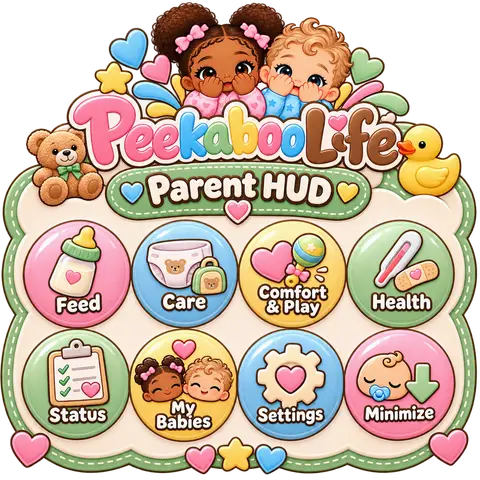
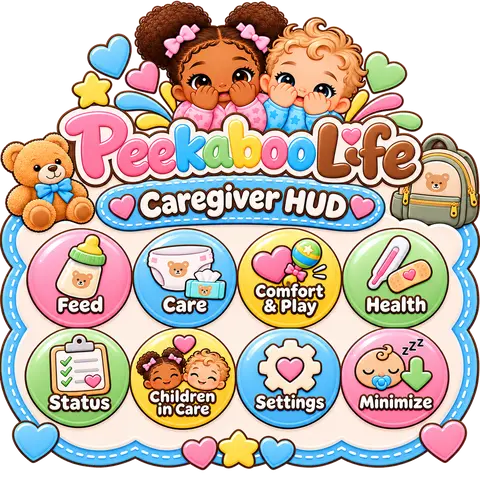
The picture HUD
One tap on a picture instead of digging through menus. It only asks you to choose when there's a real choice to make.
- Buttons that glow when your child needs something: Feed when they're hungry, Care for a diaper or nap, Comfort & Play when they're upset, Health when they're sick.
- Smart buttons: Care opens Baby Care for babies and Kid Life for big kids, and asks in between.
 Finish Now pops up while a bath, change, feeding or soothing is going on. Tap it to end early with the full result.
- Minimize folds it down to a small picture. Tap it to open again.
- Help is built in: Settings → Help gives you the Help & FAQ notecard.
Parents, sitters, family and siblings
Your child knows who everyone is. Add people nearby, or by their username from anywhere.
Parents
Up to two, each with a Parent HUD. Pick Mom or Dad and what your child calls you, like Mommy, Daddy or Mama. Breastfeeding can be on or off.
Caregivers
Babysitters, nannies and grandparents who help out. Make them temporary for 24 hours, or keep them on. They use a Caregiver HUD.
Family
Grandma, aunts, uncles, cousins, godparents, step-parents and friends. They can touch your child for kisses and cuddles, and your child recognizes them.
Siblings
Big sisters, little brothers and twins. When both kids use Peekaboo Life, adding one links both children automatically.
Drop-off, your way
Send your child to daycare or school at any age. Parents pick how the day goes.
Teachers take over
Needs slow down to half speed, and teachers with a Caregiver HUD feed, change and care for your child during the day.
Everything waits
Care stops while your child is at school. At pick-up they tell you a little story about their day.
Everything you need to start
The child
Worn by your bot. Holds their name, age, needs, health, family and personality. Touch it to set up and manage family.
Parent HUD
The picture HUD: feed, care, comfort & play, health, status and family. Buttons glow when your child needs you. Care for up to 6 children.
Caregiver HUD
Sold separately. For sitters, family and teachers. All the everyday care, without parent-only settings.
Diaper Bag
Wear it out and about. Holds diapers, wipes, a cooler for bottles, snacks, and a day's doses of prescription medicine. Hand bottles and medicine off to a sitter.
Starter pack
A small box of diapers, baby wipes, a can of formula, bath soap and a thermometer, so you can start right away. Plus the updater box and every guide.
Supplies, sold separately
Each one has limited uses, just like the real thing, so you'll run out and need more. Empty ones throw themselves away, so there's nothing to clean up.
Updates never start your child over
Click the updater box and it updates your child, your HUDs and your diaper bag. New features like weather, birthdays and teeth arrive the same way. Your child's name, age, family, health and progress all stay. Your Parent HUD also keeps a backup, so you can restore everything onto a new copy if you ever need to. Got a brand new HUD? Move copies your milk stash, bottles and everything else into it. Every item shows its version in its Description.
Every how-to notecard, right here
These are the same notecards that come in the box. Tap one to read it.
1Start HereSetting up your child, claiming, and your first steps
2Parent GuideFeeding, meals and drinks, diapers, sleep, comfort, play and family
3Big Kid GuidePotty training, accidents, school, bedtime, behavior, chores and rewards
4Caregivers, Teachers and DaycaresFor babysitters, family, teachers and daycares
5Supplies and Diaper BagEvery product, clicking the bottle, prescription medicine, Pack Doses and the Diaper Bag
6Health and EverwellTeething, fevers, eczema, hygiene and germs, allergies, Everwell visits and prescriptions
7How to UpdateUpdating with the updater box, moving to a new HUD, and restoring
8Weather, Birthdays and TeethWeather and coats, birthdays, loose teeth, the Tooth Fairy, braces and the tooth chart
9Your Own Health (Parents)Pregnancy, postpartum, getting sick, emotes, your medicine, your Medical page and FeelsLike
10Help & FAQEvery menu in one place, plus quick answers (Settings → Help on your HUD)
11What's New in v1.0For beta testers: everything added since beta v3.7
12Peekaboo CuddleCare: How To UseThe nanny: bot and mesh versions, roles, food, spots, settings and teams
13CuddleCare Tag: How ToFor a bot baby that is not a Peekaboo child
Something not working?
Start here. If you're still stuck, ask in the DaRolePlayStore Discord or visit the store.
I get a "Stack-Heap Collision" error
A script ran out of memory. Open the object, check that every script has Mono ticked, and replace any old script with the newest one from the updater box.
My bot doesn't react to anything
Touch your child and go to Setup -> Name -> Trigger. Type the bot's trigger word exactly like in the bot's own settings (if the bot answers to Yuri, type Yuri, not Sayuri). Then use Test Trigger to check the bot reacts.
"You aren't a parent or caregiver for this baby"
Your HUD isn't on this child's family list yet. Ask a parent to add you (Family -> Add Parent or Add Caregiver). If you were added by name, wear your HUD near the child and use My Babies -> Find Babies to finish.
Find Babies doesn't find my child
You need to be in the same region, the bot has to be wearing the child, and the child has to be set up with a name.
"This baby isn't set up yet"
Touch the child and finish Setup. Giving them a name is the important part.
A button I need is missing
Menus only show what fits your child's age. Nurse only shows for children under 3 and only if breastfeeding is on. Diaper care shows under 4, and Kid Life fills in as they grow.
I don't have Nurse or Pump
Breastfeeding is off on your HUD. Open Settings → Me and answer Yes to breastfeeding. Pump and Rest are then in Settings → Pump, and your Milk Stash is under Feed. Dads don't get nursing.
It says I have no diapers or wipes
Rez your Diaper Box and Baby Wipes within 10m, or wear your Diaper Bag with diapers and wipes in it.
A sibling doesn't show on the other child
Both children need the newest scripts and need to be in the same region. It keeps trying for 7 days. If it still doesn't show, remove and add the sibling again.
The medicine bottle says nobody has a prescription
For a child: they have to be in the region. For yourself: wear your Parent HUD with Everwell turned on (Settings → Everwell). The Everwell doctor has to send the prescription first, and the medicine's name must match it.
The bottle asks "They Ate / Later"
That medicine goes with food and nobody has seen your child eat in the last hour. Feed them, or pick They Ate if they did. For your own medicine the HUD asks "I Ate / Later".
My diaper box, wipes or medicine bottle disappeared
It was empty. An empty product throws itself away after telling you it was the last one. A prescription bottle does the same when the course is done.
My child's toothache won't go away after the dentist
Finding the cavity doesn't fix it. The tooth is fixed when the dentist does a filling, an extraction, a root canal or a crown and saves the visit. Make sure your Parent HUD and your child are up to date.
Status says "Inside" but we're outside, or there's no weather
Weather only works in FeelsLike weather regions. A roof, a tree or a platform up to 20m above counts as inside. Night-Night pauses the weather. Status updates about every 30 seconds.
My second CuddleCare only talks and doesn't do any care
One CuddleCare looks after a child at a time. On her menu go to Children → Her Kids and pick the children that are hers. When she clocks out, the others take over.
I can't find the CuddleCare Tag on my baby
It turns invisible once it's set up. Stand near your baby and type /77 tag in chat. It shows for 2 minutes.
My child lost everything after getting a new copy
A parent can touch the new copy and pick Restore. Your Parent HUD keeps a backup that it saves every 20 minutes.
Menus open twice, or an old menu pops up
Something in the HUD has two copies of a script, or a script with the wrong code in it. Open each script in the HUD and check the top line matches its name. The HUD warns you in local chat when it finds an extra copy.
My HUD came in tiny or the buttons are missing
Wear it once: it puts its buttons back by itself and says so in chat. If it still looks wrong, ask the store for a fresh copy.
Status or Medical won't open from my HUD
The avatar wearing the HUD isn't on the child's list, or their caregiver time ran out. Local chat says "You aren't a parent or caregiver for this baby." A parent can add them again: touch the child → Family → Caregivers.
The child prim says it belongs to another avatar
One child, one prim. Once a child is set up, the prim only works for the avatar who was wearing it then. Hand a new prim to the right bot before setting it up. If you made a mistake, contact the store and we can unlock it.
My child got a toothache. How do I fix it?
Brush their teeth (Kid Life → Routines). It takes a couple of brushings. A toothache comes after about 5 days with no brushing at all, and only days your child is awake with you count.
Nothing glows on my HUD
Your child may not need anything right now (Feed glows when they're under 40% full), and Night-Night pauses everything.
The medicine says "not needed now"
Your child got better. Medicine for being sick is only given while they're sick. The leftover doses stay until the prescription ends.
"Trying to illegally load script" when I update
That HUD or bag is no-modify, and Second Life never lets new scripts go into a no-modify item. Get the new one from the store and use Move on the updater box instead. Everything you saved comes with it.
Nothing happens when I click the updater box
Rez or wear the thing you're updating near the box, and click the box yourself. See the How to Update guide for every step.
Good to know
Does it work with any bot?
Peekaboo Life is made for bot babies and kids. Your child's lines go out in local chat with their name in them, so your bot can see them and react.
Does it work with Upsies?
Yes. When a parent or caregiver picks your child up with their Upsies HUD, your child counts as being held, and holding hands counts as attention. Stand up puts them back down.
Can dads use it?
Yes. The first time you open your Parent HUD it asks if you're Mom or Dad, if you breastfeed, and what your child calls you. Dads and moms who don't breastfeed get bottles and formula without the nursing and milk supply parts.
What ages does it cover?
Newborn to 10 years old. Your child can age in real time, or you can set an age and keep them there.
What happens when I log off?
Use Night-Night for a deep sleep that puts care on hold for up to 12 hours (your child needs to be fed and clean first). Or send them to school with Pause.
Do I need Everwell General Hospital?
No. Peekaboo Life has its own teething, fevers and eczema. Everwell adds real doctor and dentist visits, diagnoses, allergies and prescriptions on top, for your children and for you. Your Parent HUD is your Everwell patient HUD, so there's no extra HUD to wear.
Do I need FeelsLike?
No. Without it, the weather part simply stays quiet and everything else works. With it, your child feels the weather and your Parent HUD can share what's going on with your FeelsLike HUD.
Can the CuddleCare nanny watch a baby that isn't a Peekaboo child?
Yes. The baby wears the CuddleCare Tag that comes in the CuddleCare box. She cares for them by the clock, with nothing used up. Real hunger, moods, sickness and the Parent HUD are Peekaboo Life only.
Can parents get sick or be pregnant?
Yes. Settings → Everwell on your Parent HUD has pregnancy, How I Feel (Off, Easy or Realistic), your medicine and your own Medical page. Leave it off if you only want to care for your child.
Can I turn hygiene and germs off?
Yes. Touch your child → Setup → Health → Hygiene: Easy (the default), Realistic or Off.
My child is too chatty
Touch your child → Setup → Chat: Quiet, Normal or Lots. Little things are spaced out (2 minutes apart on Lots, 4 on Normal, 6 on Quiet), and real needs still come through right away.
What does a babysitter or teacher need?
A Caregiver HUD. A parent adds them as a caregiver, for 24 hours or for good, and they can care for your child right away.
Peekaboo Life is here, for Everwell patients
Peekaboo Life is not sold in stores. It comes with becoming a patient at Everwell General Hospital. Book a free consult with an Everwell doctor on the hospital website, visit the hospital in-world, or message zaharaeliseritz on Discord.
Dirty floors, dirty secrets, real cleanup.
Floors, counters and trash cans get messy over real time, not with a click. Clean it with the right tool, or let the pests move in. The Bathroom Add-On brings a Floor, Toilet, Tub and Shower with their own clogs and messes.
A home that actually gets dirty
Every piece builds up mess on its own over real time. No clicking to "start" it - it just happens, and you decide how fast.
Real dirt, real time
- Set how fast things get messy, anywhere from 1 Day to 1 Month
- Builds up naturally over real time, no clicking needed to start it
- Works the same way on the Floor, Counter, Trash Can, and every Bathroom Add-On piece
Two ways to clean
- Dry tools (broom, duster, vacuum, swifter) sweep it clean
- Wet tools (mop, wetjet, floor cleaner) leave it sparkling - and wet
- Any brand works, as long as the name has the right keyword in it
Wet floors are a real hazard
- A mopped floor stays slippery for a couple of minutes
- Anyone but the one who just cleaned it risks a slip, a stumble animation, and a little shove
- A Wet Floor sign and puddles show up automatically, then clean themselves up once it dries
It spreads if you let it
- Dirty enough, and it starts whispering that it needs attention to anyone nearby
- Footprints follow you across a dirty floor for a few steps
- Walk across a dirty floor and you can carry some of that mess to the next clean one
- Crumbs from a dirty Counter fall onto the Floor below - everything talks to everything else
Pests move in
- Roaches show up as the mess builds; a mouse shows up if it sits dirty long enough
- Fully adjustable - run with both, just one, or turn pests off completely
- Stock up on Pest Traps if you run out, or borrow a friend's
Bathroom Add-On Beta
- A Bathroom Floor, Toilet, Tub and Shower join the system
- The Toilet can actually be used, flushed, and clogged
- The Tub and Shower can clog completely on their own sometimes, needing a Drain Solution to fix
- See the Bathroom Add-On guides below for every detail
Everything you need to start
Filthy Cleaning System
Available now
Filthy Floor
Builds up real grime over time. Sweep it dry or mop it wet - just know a wet floor stays slippery for a bit, with footprints and a stench if you let it go too long.
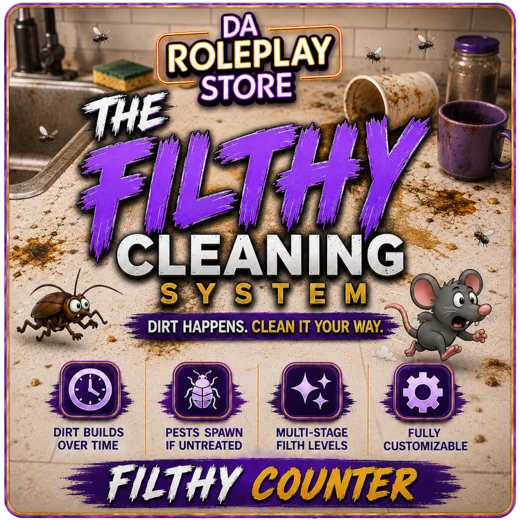
Filthy Counter
Same real-time grime as the Floor. Clean it wet for a sanitized bonus, or dry just to get it done. Scrub a really filthy one hard enough and crumbs drop to the floor below.
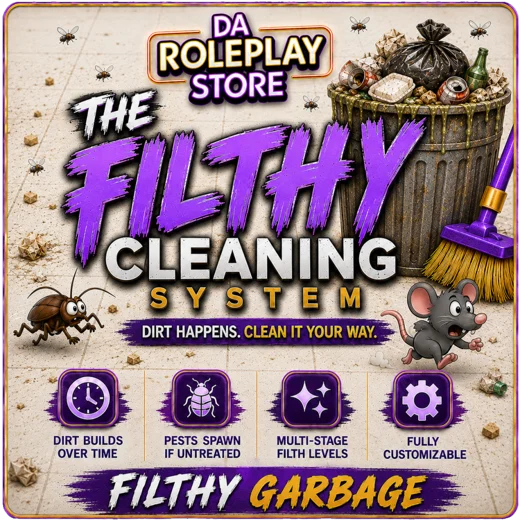
Filthy Trash Can
Fills up and overflows onto the floor around it over time. Clean up the mess, then empty the bin with a trash bag to reset it - the inside needs its own scrub down every so often too.
Sold separately
Extras for the base system - no brooms or mops here, grab any brand you like from the Marketplace.
Bathroom Add-On
In betaFilthy Bathroom Floor
Catches the Toilet's pee puddle buildup in one spot, plus little splash puddles whenever a nearby fixture gets cleaned or unclogged.
Filthy Toilet
Can actually be used, flushed, and clogged. Plunge it to clear a clog, or let a flush gamble go wrong.
Filthy Tub
Builds grime like everything else, and can clog completely on its own sometimes - separate from how dirty it is.
Filthy Shower
Works just like the Tub - its own grime, and its own random chance to clog.
Sold separately
A single-use fix for a clogged Tub or Shower.
Getting started
Every piece sets up the same basic way.
- 1Rez itPut the piece down wherever you want it in your home. No linking or extra setup.
- 2Set it upTouch and hold to open the owner menu. Pick how fast it gets dirty (1 Day to 1 Month) and who's allowed to clean it.
- 3Clean it rightDry tools sweep it clean. Wet tools leave it sparkling, and slippery for a couple of minutes.
- 4Watch for pestsLet it go long enough and roaches (or a mouse) move in. Keep Pest Traps stocked if you want to stay ahead of it.
- 5Bathroom pieces add their own stepsThe Toilet has its own use-and-flush roleplay, and the Tub/Shower can clog on their own and need a Drain Solution. Full details are in their guides below.
Every how-to notecard, right here
The first two are the real notecards that come with the base system. The rest cover the Bathroom Add-On and are still being reviewed before they're final - tap one to read it.
1Filthy Cleaning System V2 - Feature GuideEverything the Floor, Counter and Trash Can do
2Filthy Cleaning System - Q&ACommon questions, straight from the notecard in the box
3Bathroom Add-On - Start HereDRAFT - setting up the Floor, Toilet, Tub and Shower
4Filthy Bathroom Floor - Setup & GuideDRAFT - the pee puddle, splash puddles and regular cleaning
5Filthy Toilet - Setup & GuideDRAFT - using it, flushing, clogs and the plunger
6Filthy Tub & Shower - Setup & GuideDRAFT - regular cleaning, random clogs and Drain Solution
7How to UpdateDRAFT - updating any piece with the Filthy System Updater
Something not working?
Start here. If you're still stuck, ask in the DaRolePlayStore Discord or visit the store.
I get a "Stack-Heap Collision" error
A script ran out of memory. Open the object, check that every script has Mono ticked, and replace any old script with the newest one from the updater box.
I get an error like "Could not find object..." when I clean or mop something
The item it's trying to rez isn't in the right Contents. Check that the named prop is actually inside the object you're touching - and if that object rezzes a prop of its own, check inside THAT prop's Contents too.
My Toilet keeps clogging again right after I plunge it
Update to the latest version. Older copies had a bug where a leftover neglect timer could re-trigger the clog almost instantly after a plunge - it's fixed in the current release.
Nothing happens when I clean with my broom or mop
Check what's actually attached. The tool just needs the right keyword in its name - broom, duster, vacuum or swifter for dry cleaning, mop, wetjet, floor cleaner or scrubber for wet. Any brand works.
Scrubbing doesn't do anything on the Toilet, Tub or Shower
Apply a liquid cleaner or bleach first and let it soak in for a moment before you scrub. Scrubbing it dry won't do much.
It says this is clogged and won't let me clean it (Tub or Shower)
Wear a Drain Solution and touch the Tub or Shower itself (not the standing water) to clear the clog first - regular cleaning is blocked until it's fixed.
Pests keep coming back
That's by design - clean it up and keep it clean, turn Pests off in the owner menu, or keep Pest Traps stocked.
"You do not have permission to use or clean this"
Check the owner menu's Permission setting - it can be set to Owner, Group, or Anyone.
Nothing happens when I click the Updater box
Make sure the piece you're updating is actually rezzed nearby and in range, then click the Updater box itself.
Good to know
How often do I have to clean my space?
This system is set up to get a little more dirty every 15 minutes, so if you set it on 1 Day, you won't have any pests within the first few hours.
Can I just delete the pests?
Yes, but what fun is that? It takes away from your RP, and more pests will keep rezzing out if you don't clean up.
Where do I purchase a broom, mop, and more?
The Marketplace has plenty of options - this system doesn't work with just one brand, so feel free to grab a basic cheap one or an animated pricey one. It won't matter, as long as it has the right keywords in its name.
I ran out of pest control items, where do I get more?
Head down to Da RolePlay Store and stock up on your Pest Traps.
Can someone else's traps work for me?
Yes! If you know you won't be around for a while and you're worried about coming back to an unwanted house party in your space, ask a friend to set some traps out for you - it will work.
How will I know how dirty my floor is before it becomes a mess?
The owner of the floor can click it, and the dirt percentage will show up for a minute, along with the stats on any traps rezzed nearby.
Is the Bathroom Add-On out yet?
It's in beta testing right now. Join the DaRolePlayStore Discord to hear when it's ready.
Do I need the base Filthy Cleaning System to use the Bathroom Add-On?
No - the Bathroom Floor, Toilet, Tub and Shower are their own separate pieces and work together on their own. You don't need the original Floor, Counter or Trash Can for them to work.
Available now, with more on the way
The base Filthy Cleaning System is available now, in-world and on Marketplace. The Bathroom Add-On is in beta testing - join the Discord to hear when it's ready.
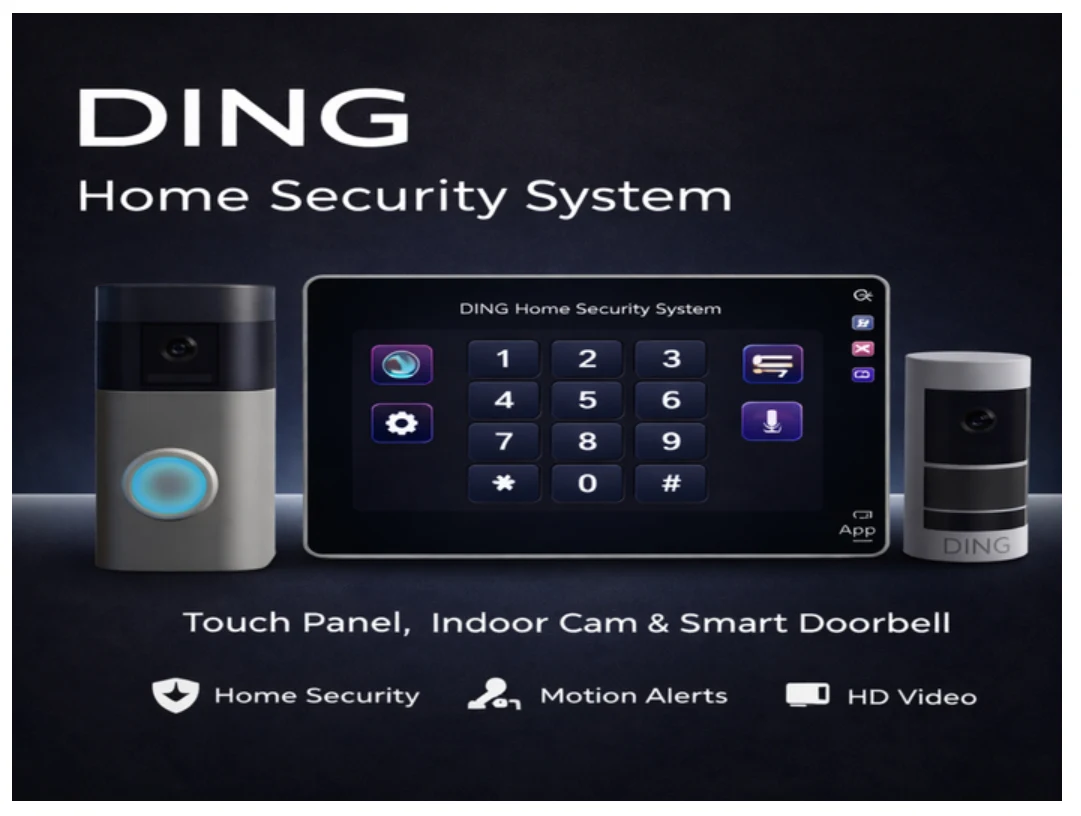
Know who's at your door, even when you're not home.
A touch panel, a doorbell that doubles as a camera, indoor cameras, entry sensors and a HUD that puts the whole system in your pocket. DING watches your doors, rings you in on Discord, and only lets in who you want in.
See DING in real homes
A system, not seven separate gadgets
Every unit shares one HOUSE_ID, so your panel, doorbell, tripwires, cameras and HUD all work together.
Alarm that doesn't quit
- Trips the moment someone who isn't allowed walks through a door
- Gives them a few seconds' warning before ejecting (you set how long)
- The siren keeps looping until you or an Admin enter the PIN on the panel
- AUTHORIZE or EJECT NOW from the alarm menu silences it too
Modes that actually mean something
- HOME: local chat only, no IMs, no Discord
- AWAY: IMs and Discord alerts, and arms the alarm for you
- DND: everything logged, nothing pops up
- Alarms and trespassing always get through, in every mode
Doorbell with a built-in camera
- A ring chimes you and tells you who's there
- See the visitor on your HUD's camera view before you answer
- Guests get Reply, Request Access, Leave Message or No thanks
- No answer after 30 seconds? They get those options anyway
Knock on the door
- Touch a Tripwire to knock — same alert as a doorbell ring
- A knock sound plays for the visitor
- They get a quiet, one-time hint that knocking is an option
Cameras you can actually look through
- Line of sight only — it won't see people through walls
- "Aim at Me" points a camera by walking to the spot, no angle numbers
- Pick a room from your HUD, or cycle with Next Cam
One HUD for the whole system
- Arm/disarm, change mode, check cameras, read the log, manage passes, answer the intercom
- Finds your system by itself — just rescan if you move things
- Keeps separate properties apart by HOUSE_ID
Guest passes
- Let someone in without adding them to your whitelist for good
- 1 Hour, 8 Hours, 1 Day, or Until I Disarm
- See every active pass and revoke any of them with one tap
Whitelist, Admins & Blocklist
- Whitelist comes and goes freely, no alarm, gets your welcome greeting
- Admins can disarm, change modes, and manage every list
- Blocklist is ejected on sight, no warning
- Add anyone by name or UUID, even if they're off-sim
Discord alerts
- An optional webhook sends rings, knocks and alarms to your phone or computer
- Routine stuff only fires in AWAY mode; alarms reach you in every mode
Updates without taking your house apart
- The Updater box scans every unit and shows its version
- Updates scripts in place, one at a time
- Your settings, lists and camera aim all survive
Everything you need to cover a door
Rez one Tripwire per entrance and one Camera per room you want watched — add as many as your home needs.
The Hub
Arm, disarm, change modes, and reach Config from one panel. This is the brain of the system.
Doorbell
Rings, chimes, and doubles as a camera so you can see who's there before you answer.
Tripwire
One per entrance. Trips the alarm when crossed, and doubles as a knock sensor.
Indoor Camera
Aim it by walking to the spot you want watched. Line-of-sight only, won't see through walls.
The HUD
Wear it for the whole system in your pocket — arm/disarm, cameras, log, passes and intercom.
Enforcer
A small prim you deed to your land group so ejection still works without deeding your Hub.
Updater box
Scans and updates every unit in place. Keep it on hand for new versions.
Set it up once, HOUSE_ID ties it together
The golden rule: every unit needs the same HOUSE_ID in its Settings notecard. That one word is what makes them a system instead of separate gadgets.
- Pick one HOUSE_IDA word only your system uses, like MySecretHome. You'll type the same word into every unit's Settings notecard.
- Set up the Touch PanelRez it somewhere central, open its Settings notecard, and set HOUSE_ID, PIN and EJECT_DELAY. Save it and it should reply "all set."
- Add your Doorbell, Tripwires & CamerasRez one at each entrance and each room, with the same HOUSE_ID in every notecard.
- Aim your Doorbell and CamerasTouch each one and pick Aim at Me — walk to the spot you want watched and it points there for good.
- Wear your HUDIt finds your system by itself. Press Rescan if you ever move things around.
- Check your land rightsOwn your land? Ejection just works. Renting or on group land? Deed an Enforcer prim to the land group.
- Switch to AWAY before you log offThat's what turns on Discord alerts and arms the alarm for you.
One button decides how you hear about things
Local chat only. No IMs, no Discord. Best when you're actually home and nearby.
IMs and Discord alerts, and the alarm arms itself. This is the mode to log off in.
Completely silent. Everything still gets logged, nothing pops a dialog at you.
Alarms and trespassing always reach you, in every mode. Only routine traffic gets filtered.
Ejection is the one thing Second Life gates
The alarm, alerts, intercom, cameras and passes all work anywhere. Ejecting someone is the one feature Second Life ties to land rights.
You own your land
Nothing to do. Ejection works right out of the box.
Renting, or on group land
The Hub can't eject on its own here, and it'll tell you so on startup. Deed a small Enforcer prim to your land group instead — your Hub stays your own property, Settings notecard included.
Every notecard that comes in the box
These are the same notecards you get with the system. Tap one to read it.
1Setup GuideThe Hub, Doorbell, Tripwires, Cameras, HUD, land rights, updates, and what's new in 1.2
2Discord Setup GuideConnect DING to Discord so alerts reach you even when you're logged off
3Help & TroubleshootingThe full FAQ and problem/fix notecard that comes with the system
Something not working?
Start here. If you're still stuck, tell us the version number your Updater reports and what the Hub said when it started up — those two things answer most questions before we even ask.
The alarm is going off, but the intruder is not being ejected.
1. Check land rights. Second Life only lets an object eject someone if its OWNER controls that parcel. 2. If you rent or live on group land, you need the Enforcer prim, deeded to the land group. See section 6 of the Setup Guide. The Hub tells you on startup if it has no land rights. 3. Make sure the intruder is not on the Whitelist or the Admin list, and does not hold a live guest pass.
The doorbell and cameras are not talking to the Hub.
Every unit must have the SAME HOUSE_ID in its Settings notecard. It is case-insensitive, but it has to be the same word. Save the notecard and the unit reloads.
My HUD says "Nothing answered."
You must be in the same region as your system. If you are, press Rescan. If a unit was just updated, give it a few seconds to restart first.
The HUD lists cameras but the view does not move.
The HUD must be WORN. Second Life only permits camera control from an attachment - a HUD rezzed on the ground will list cameras and refuse to look through them.
The HUD is showing cameras from a house that is not mine.
It only ever shows units you own, but if YOU own several properties in one region it groups them by HOUSE_ID - use "Change House". To lock one HUD to one property, put a Settings notecard in it containing just HOUSE_ID = thathouse.
The camera is seeing people through walls.
Mount the camera slightly away from the wall. The line-of-sight "eye" starts 0.5m in front of the camera; if that point is inside a wall, it is blind.
Touching the tripwire does not knock.
The tripwire is invisible, so the touch may be missing it. Set ALPHA=0.01 in its Settings notecard - just enough for Second Life to register a click, still invisible to the eye.
Visitors are not being told they can knock.
Check KNOCK_HINT is not blank and HINT_RANGE is big enough (default 5m) in the tripwire's notecard. Each person is told once per visit, not every few seconds.
Touching my doorbell opens a camera menu instead of ringing it.
That is deliberate, and only happens for YOU. It keeps you from paging yourself every time you adjust the door camera. Press "Test Bell" on that menu for a real ring. Visitors touching the bell ring it normally.
I deeded the Hub and now I cannot edit my Settings notecard.
A deeded object belongs to the group, notecard included. That is Second Life, not the system. Use the Enforcer prim instead - it is designed exactly for this, and it leaves the Hub as your property. If you want to keep the Hub deeded, take a fresh copy, set OPERATOR = your UUID in the notecard, let it run once, THEN deed it.
I cannot deed the Enforcer - the button is greyed out.
Deeding requires transfer permission, and most purchased mesh is no-transfer. Rez a plain prim that YOU created, put the script and notecard in that, and deed it.
"Stack-Heap Collision" or the panel stops responding.
The panel needs both scripts in it - SecBrain and SecAccess. Run the Updater and press Scan; it installs a missing SecAccess automatically. If the panel warns you about low script memory, contact us before adding anything else to it.
The panel announced itself several times over.
Fixed in 1.2. Update your system.
I forgot my PIN.
Open the "Settings" notecard in the Hub, change the PIN line, save. The Hub reloads by itself.
I updated and something is behaving oddly.
Run the Updater, press Scan, and check every unit reads the same version. If one is behind, press "Force All". Your settings and lists are never touched by an update.
Good to know
How do I add my partner or roommate to the system?
Touch CONFIG > Access Lists > Admins. Choose "Add Nearby" if they are standing next to you, or "Add by Name" to type their agent name or paste their UUID - that works even if they are offline or on another sim. Admins can disarm the alarm, use the panel buttons, and receive all notifications.
What is the difference between Whitelist and Admins?
Whitelisted people can come and go without setting off the alarm, and get your welcome greeting - but they cannot control the Hub. Admins have full access: disarm, change modes, manage lists.
What is the Blocklist?
Anyone on it is ejected on sight, no warning and no delay. Only the owner can edit it.
How do I stop the Siren?
Once the alarm is triggered the siren loops to deter intruders. To stop it, you or an Admin must touch the Hub and enter the correct 4-digit PIN. AUTHORIZE and EJECT NOW on the alarm menu also silence it.
What do the different Modes (HOME, AWAY, DND) do?
They decide how your alerts reach you: [HOME] Local chat only. No IMs, no Discord. Best when you are actually home and standing nearby. [AWAY] IMs and Discord alerts, and the alarm arms itself. This is the mode to be in when you log off. [DND] Completely silent. Everything is still logged, but nothing pops a dialog at you. Alarms and trespass alerts are urgent and reach you in every mode. Only routine traffic is filtered.
Why am I not getting Discord messages?
Discord only fires in AWAY mode for routine events. Switch the Hub to AWAY - that is what turns it on. Alarms go through in any mode.
Does coming home disarm the alarm?
No. AWAY arms it for you, but disarming is always a deliberate action with your PIN. That is on purpose.
How does the Doorbell Intercom work?
A guest rings. You get their name and a menu of quick replies (or a text box if you have Quick Reply switched off). The moment you answer, THEY get options: Reply, Request Access, Leave Message, or No thanks. Their reply comes back to you and the loop continues. It all works from anywhere in the region, or from your HUD.
What if I never answer the door?
After 30 seconds (NO_ANSWER_SECS in the doorbell's notecard) the guest gets those same options anyway, so they can still leave you a message or request access. If the Hub already knows you cannot answer - DND mode - it skips the wait entirely.
How do guest passes work?
A pass lets someone through without adding them to your whitelist permanently. Grant 1 Hour, 8 Hours, 1 Day, or Until I Disarm. CONFIG > Guest Passes lists everything active and lets you revoke any of them with one tap. Expired passes clean themselves up.
Someone is at the door asking to come in. What is fastest?
They press "Request Access" on the doorbell. You get Approve / Deny with duration choices. During an alarm, the AUTHORIZE button grants one hour instantly - there is no time for a second menu mid-incident.
I ejected a guest, but now they are back and the alarm is not tripping.
They still hold a live pass. AUTHORIZE grants one hour, so until it expires they can walk in. Revoke it under CONFIG > Guest Passes, or add them to the Blocklist to be certain.
Can I see who is at the door before I open it?
Yes. The doorbell doubles as a camera. Wear your HUD, press Cameras, and pick your front door from the list.
My camera view is pointing the wrong way.
Touch the camera and choose "Aim at Me". You get 15 seconds to walk to the spot you want watched, then it points there and stays there. Do not bother with angle numbers - see the Setup Guide for why they rarely work on a wall-mounted camera.
Do I have to be near my house to use any of this?
You need to be in the same region. Within that, the HUD does everything the panel does.
DING Security is available now
Pick it up at the store, or on the Marketplace. Every unit shares one HOUSE_ID — set that once and you're covered.

Keep your land for the people who are actually there.
It notices who has been standing still, asks if they're still at the keyboard, and clears out the ones who aren't. You decide how long they get, how many chances, and what happens.
Polite first, firm after
Nobody gets removed out of nowhere. They get a dialog, a countdown and a message that says why. You write that message yourself.
It knows who's really idle
- Watches whether someone moves, turns on the spot, or types
- Any one of those resets their clock
- People sitting on furniture, poseballs or dance balls are skipped
- Checks every few seconds, so it notices quickly
It asks before it acts
- A blue dialog with one button: "Yes, I'm here"
- They get 30 seconds by default, and you can change that
- Just moving also clears the check, no clicking needed
- The same message goes to them in chat, in case they missed the popup
Three chances an hour
- Each check counts as a strike on a rolling hour
- Once they've used all three, the next time they go idle there's no dialog at all
- That removal gets its own message, so they know why it was different
- Change the number of chances and the length of the hour to whatever suits you
- Or set it to zero chances, and the very first idle gets them
You choose what happens
- Send them home, or eject them off the parcel
- Want them at your hub instead? Paste the hub's link into your message and it's clickable
- They get your message in chat and as an instant message, so it reaches them either way
Some people are never checked
- You, always
- Anyone wearing the same group tag as the object
- Staff, DJs, friends: add them by username or UUID
- Anyone sitting down, unless you'd rather they were checked too
Your words, not ours
- Write all three messages yourself: the check, the removal, and the no-more-chances one
- Drop in their name, your region, the time limit or their strike count
- Keep it friendly or keep it short, it's your sim
What an idle visitor actually sees
Five minutes still, a dialog, half a minute to answer. Move at any point and the whole thing goes away.
Hi Skyler – you have not moved for 5 minutes. Please click "Yes, I'm here" within 30 seconds so we know you are at your keyboard. (AFK check 1 of 3 this hour.)
An example. The wording is yours to change.
- 0:00They stop movingStanding still, not turning, not typing. The clock starts.
- 5:00The check goes outA dialog pops up, and the same words arrive in chat. You get a line too, so you know it happened.
- +30 secThey click, or they moveEither one clears it, and they get a fresh five minutes.
- or notOut they goSent home or ejected, with your message in chat and as an IM.
- 4th timeNo dialog this timeOnce their three chances are used up, the next idle is a straight removal with the message you wrote for it.
One parcel, one circle, or the whole sim
Pick it from the menu or the notecard. Start narrow: it's lighter on the sim and it's usually what you actually meant.
This parcel
Only people on the parcel the object is sitting on. The default, and the right one for a club, a shop or a home.
A circle around it
Anything from 3 to 512 metres out from the object. Good for a dance floor or one corner of a bigger build. The object is the middle of the circle.
The whole region
Everyone in the sim. The heaviest option by a long way, so only reach for it if you really need it.
A visitor log, and Discord if you want it
Touch the object and pick Visitor Log. It shows who's here right now and who's been through, with how long they stayed. Click a name to open their profile.
It logs everyone in the area, staff and group members included, because it's a visitor record rather than an AFK check. The owner is skipped by default.
Paste a webhook link in and the system can post into a channel: people arriving, people leaving with how long they stayed, AFK checks going out, and removals with the reason. Removals are on by default and the rest are off, so a busy sim doesn't flood the channel. There's a Test button to make sure it's working before you trust it.
Worth knowing: the in-world log sits in the script's memory, so a reset or a region restart clears it. Discord is the version that sticks around.
Three scripts and a notecard
Drop them all into one prim. They're split up because a single Second Life script only gets 64 KB of memory, and all of this together doesn't fit in one.
The engine
Does the watching, the asking and the removing. This is the one that has to be there.
The menu
Your touch menu, and the part that reads the notecard. Take it out and everything still runs on the notecard alone.
The log
The visitor log and the Discord notices. Take it out and you lose those two things, nothing else.
The notecard
Every setting, with notes next to each one explaining what it does. Edit it, save it, and the scripts pick it up.
Nothing else to buy. There are no supplies to run out of and nothing sold separately.
Up and running in a few minutes
- Put it in a primAll three scripts and the notecard go in the same object. Make it invisible and phantom if you like – it only has to stay rezzed.
- Rez it where it watchesOn the parcel for parcel mode, or in the middle of the area for radius mode.
- Set it upEdit the notecard and save, or just touch the object and use the menu. Both work, and menu changes beat the notecard until you reset them.
- Try it on yourselfDrop the idle time to 1 minute, take yourself off the exempt list, and stand still somewhere quiet. Put it back after.
Second Life only lets an object remove someone if the object's owner is allowed to do it on that parcel – so you own the land, or the object is deeded to the land group and your role has the eject and return powers, or you're an estate manager.
Without that, visitors still get warned and still get your message, and then nothing happens to them. The system spots this and tells you in chat rather than leaving you guessing. If you rent your land, check with your landlord first.
The notecards, right here
The same ones that come in the box. Tap one to read it.
1Start HereSetting it up, land rights, and your first few minutes
2.AFK_ConfigEvery setting, with notes on what each one does
Something not working?
Start here. If you're still stuck, ask in the DaRolePlayStore Discord or come by the store.
People get warned, but nothing happens to them
This is the common one, and it's land rights. The object's owner has to be allowed to eject or return on that parcel – own the land, be deeded to the land group with the eject and return powers, or be an estate manager. The system notices when a removal didn't take and says so in chat.
It never detects anybody
Three things to check. Is it switched on in the menu? Is the scan mode set to where people actually are? And if the group exemption is on but the object has no group set, it would exempt most visitors – so the system ignores it and tells you at startup.
My notecard settings are being ignored
The name has to be .AFK_Config, or at least contain "afk" and "config". When it starts up it says which notecard it read, or shouts if it couldn't find one. If you never see that line, it's running on built-in defaults.
Touching it doesn't open the menu
The AFK Guardian Menu script isn't in the object. The engine keeps working on the notecard without it, but there's no touch menu until you put it back.
Visitor Log and Discord do nothing
The AFK Guardian Log script is missing. Put it in the same prim as the other two and both come back.
I get a "Stack-Heap Collision" error
A script ran out of memory. Make sure all three scripts are in there as separate scripts and that none of them has been edited to do extra work. Switch to a narrower scan mode, and touch the object and press Status to see how much memory is free.
Someone I ejected keeps getting checked
Ejecting only removes a person from the parcel, not the region, so in region or radius mode they're still in the scan area. Use eject together with parcel mode, or switch to sending people home.
Discord stopped posting
If Discord rejects the webhook – a wrong link, or one that's been deleted – the system switches Discord off, clears the queue and tells you why, instead of retrying forever. Fix the link and turn it back on.
Regulars say they get checked while they're chatting
Typing only counts while keys are actually being pressed, so a long gap between messages still reads as idle. Raising the idle time is the usual fix.
Somebody never sees the dialog
They may have muted the object, or their viewer may be set to hide popups from objects they haven't touched. The message also goes to them in chat, which is why it's sent both ways.
Good to know
Will it check me?
No. You're skipped automatically, and so is anyone wearing the object's group tag. You can add staff, DJs and friends by username or UUID too.
What about people dancing or sitting on furniture?
Anyone sitting is skipped by default, since a person on a dance ball isn't moving either. You can turn that off if idle sitters are exactly what you're worried about.
Can it send people to my hub instead?
Not directly, and no script can – Second Life won't let an object force somebody who isn't sitting on it to a chosen spot. What works is removing them and putting your hub's link in the message, which is clickable. Same result, one click for them.
If they click "Yes, I'm here" every time, do they ever get removed?
Yes, and that's on purpose. Answering saves them that time, but the check still counts. Go idle four times in an hour and you're out even if you answered the first three. If you'd rather only ignored checks count, there's a setting for that.
Do I need all three scripts?
The engine, yes. The other two are optional: without the menu you set everything in the notecard, and without the log you lose the visitor log and Discord. Everything else carries on.
Does the visitor log keep a history?
It keeps the most recent visits in the script's memory, so a reset, a take-and-rez or a region restart clears it. If you want a record that lasts, switch on the Discord notices.
Will people know why they were removed?
Always. They get your message in local chat and as an instant message, so it reaches them even after they've left. You write the wording.
Does it greet people or spam chat?
No. It never greets anyone and never says anything in public chat. The only messages go privately to the person being checked, and to you.
AFK Guardian is still in testing
It's being tested in-world right now. Come by the store or join the DaRolePlayStore Discord to hear first when it's out.
Medical roleplay that runs on real time.
Track a cycle, a pregnancy and everyday needs on a Patient HUD, then take it to a doctor wearing a Provider HUD. Scans, vitals, labs, diagnoses and prescriptions all happen one step at a time, so there's a real visit to roleplay.
Let a need fall below 20% (the thin line) and your Health starts to drop.
One cycle, drawn to scale
Every day in the system lasts a set number of real hours. It starts at 4, and you can change it. Here is a 28-day cycle, the way the Patient HUD counts it.
- 1
- 2
- 3
- 4
- 5
- 6
- 7
- 8
- 9
- 10
- 11
- 12
- 13
- 14
- 15
- 16
- 17
- 18
- 19
- 20
- 21
- 22
- 23
- 24
- 25
- 26
- 27
- 28
At the default 4-hour day, 28 days is 112 real hours, a bit under 5 days. Now and then a cycle runs 1 to 7 days longer, like real life. A doctor can tell about 7 days after a missed period.
From the first period to the last postpartum week
Cycle & periods
- A realistic 28-day cycle that sometimes runs a few days long
- On heavy-flow days you need to wear a pad or tampon, Light or Super
- Put a new one on and it swaps out the old one, with an emote for putting it on and one for replacing it
- Wear a used one and it says "ewww" and comes right back off
- Your chance of getting pregnant is best around ovulation and low the rest of the month
Pregnancy
- Start a pregnancy from your HUD, or set the day to match a pregnancy you already have on another HUD
- It tracks the day, week and month (280 days in all), and handles twins or more
- A Home Pregnancy Test gives you a private result
- A doctor confirms with a real HCG lab test
- The doctor decides when to share the baby's sex and the due date
Everyday needs
- Hunger, Thirst, Hygiene and Toilet go down over real time
- Wear a fork, spoon, cup, water bottle, toilet paper, soap or hand sanitizer, click it, and wait about 2 minutes
- Forks, spoons, cups and water bottles can be made invisible if you'd rather use your own prop
- Let a need drop below 20% and your Health starts to fall
Taking care while pregnant
- You get a prompt when a need runs low, and you can grab the matching item right from your HUD
- Ignore your needs for too long and you lose Health and can develop a complication
- The complications are high blood pressure, gestational diabetes and preterm labor risk
- Each one needs its own medicine, taken on time, or you lose more Health
After the baby
- A doctor delivers the baby, vaginal or C-section
- 42 days of postpartum, with a milk supply bar
- Pumping has a timer, and so does a postpartum pad for the first 3 days after a vaginal delivery
- Status shows your postpartum day and your cycle day together
Symptoms & health
- Report how you feel. Pick as many symptoms as you want and one emote covers them all
- The list changes with your cycle, your pregnancy and postpartum
- Your doctor sees your recent symptoms during a visit
- Health drops if you go too long without care. A doctor's Stabilize brings it back
Privacy & partners
- Choose who sees your symptom emotes and your everyday emotes: just you, everyone nearby, or only your partner
- Link a partner from your HUD
- A doctor can't scan you unless you say yes
- Your Health and needs are protected while you're logged off. Your cycle days only pause if you turn that on
The Provider HUD
- Scan a patient, start a visit, take vitals, run labs, diagnose, prescribe and deliver babies
- Symptoms your patient reported turn into suggested diagnoses
- Ending a visit prints a clinical summary, saves it to the chart and clears the HUD for the next patient
- Set your own name, specialty, practice name and chart signature
The pharmacy
- A doctor prescribes, then the patient pays at the Pharmacy Kiosk
- You get a real medicine bottle with a set number of doses
- Click it to take a dose. You have to wait between doses
- Finish the whole bottle and the diagnosis it was for is cleared
- A bottle only works for the patient who paid. Pass it to someone else and it removes itself
- 20 medicines in 7 groups, from L$35 to L$100
Already using Mama Allpa?
- The Belly Prim has a Sync from MA button that copies your pregnancy day or cycle day from Mama Allpa
- When Mama Allpa moves you back to cycle day 1 after birth, your postpartum day still shows
A visit, start to finish
Nothing happens in one click. The patient has to say yes, the doctor has to start a visit, and every result gets saved to the chart.
Recent Symptoms: Cramping
Suggested: Menstrual Cramps (reported Cramping, Day 2 of cycle)
Signs of pregnancy detected. Run an HCG lab to confirm details.
- ScanFind the patientPick someone nearby. They get a request and have to accept it.
- StartStart the visitNothing else works until you do. The note from their last visit prints so you can pick up where you left off.
- CheckVitals and labsHeight is set once, on the first visit. After that it's weight and vitals. The HCG lab gives a real pregnancy result.
- DiagnoseSee what they reportedTheir recent symptoms show up, with suggested diagnoses.
- TreatTreat the patientPrescribe, stabilize, suggest a remedy, share the due date or deliver the baby.
- EndClose the chartA clinical summary prints, with your signature if you set one. Then the HUD clears.
The pieces of the system
Patient HUD
A phone-style HUD with two pages. Home has your Health bar, Status, Setup, Symptoms, Meds, Reset and Help. The App page has your needs. Touch RP to switch.
Belly Prim
Worn with the Patient HUD. It turns on needs and ambient emotes, shows your status, sets who sees those emotes, and has the Sync from MA button.
Provider HUD
A tablet-style HUD for doctors. Scan, run a visit, take vitals and labs, diagnose, prescribe and deliver.
Pharmacy Kiosk & medicine bottles
Patients pay here for what their doctor prescribed. It hands out the medicine bottles, 20 medicines in all.
Items that go with it
Needs items restore a bar when you wear them and click them. Pads and tampons just need to be worn.
Ready in a few minutes
If you're the patient
- Wear the Patient HUDTouch SETUP, then Register. A guided walkthrough takes you through it.
- Wear the Belly PrimThis turns on needs and ambient emotes.
- Pick how fast days goSETUP, then Change Day Length. One day is 4 real hours to start.
- Set your privacySETUP, then Privacy Settings. Private, Public or Partner Only.
- Already pregnant somewhere else?SETUP, then Start Pregnancy lets you set it up to match.
- Need a hand?Touch HELP on the Home page for short how-tos.
If you're the doctor
- Wear the Provider HUD and run SETUPChoose your display name, specialty, practice name and chart signature.
- SCAN a patientThey get a request. Once they accept, you can work with them.
- Start the visitUse VISIT to start. Nothing else works before this.
- Take vitals and run labsVITALS and LABS save their results to the chart.
- Diagnose and treatTREAT has Diagnose, Prescribe, Stabilize and more.
- End the visitVISIT again to end it. The summary prints and the HUD resets.
Wear the Belly Prim when you're ready for the full experience. It turns on needs and ambient emotes.
Every how-to, right here
These are draft guides for the Wellness HUD. The final notecards in the box may be worded a little differently. Tap one to read it.
1Start Here - PatientsDRAFT - Wearing your Patient HUD and Belly Prim, and your first steps
2Needs & ItemsDRAFT - Hunger, Thirst, Hygiene and Toilet, and the items that fix them
3Your Cycle & Period ProductsDRAFT - The 28-day cycle, pads and tampons, and your chance of getting pregnant
4Pregnancy & After the BabyDRAFT - Getting pregnant, caring for yourself, complications and postpartum
5Symptoms, Health & PrivacyDRAFT - Reporting how you feel, your Health bar and who sees what
6Start Here - DoctorsDRAFT - Setting up your Provider HUD
7A Visit, Start to FinishDRAFT - Scanning, vitals, labs, diagnosing, treating and ending the visit
8Diagnosing & Prescribing ChartDRAFT - What symptoms point to which diagnosis and medicine
9Pharmacy GuideDRAFT - Prescriptions, paying at the kiosk, taking doses and finishing a course
10Medicine ListDRAFT - All 20 medicines, by group, and what they're for
Something not working?
Start here. If you're still stuck, ask in the DaRolePlayStore Discord or visit the store.
It says "Connection error - please try again"
The HUD couldn't reach the server for a moment. Wait a few seconds and touch it again. If it keeps happening, tell us in the Discord.
A pad, tampon or needs item asks for permission
That's the normal Second Life attach pop-up. Click Yes so the item can attach to you.
My pad says it's used and takes itself off
On purpose. A pad or tampon that has been replaced is used up, and wearing it again takes it right back off. Delete it from your inventory and wear a fresh one.
I used a fork, cup, soap or toilet paper and it didn't fill my bar
The item has to be worn, not just rezzed. Wear it, click it, and give it about 2 minutes. When it's done it takes itself off. Each one is used up after that.
I don't see Headache, Thirst or Tightening in my symptoms
Those only show up when you're pregnant and the matching complication is set. Not pregnant? The Cramping symptom is the one tied to the first days of your cycle.
The doctor says there are only signs of a pregnancy
That's right until the doctor runs the HCG lab. A pregnancy also can't be spotted until about 7 days after a missed period.
The Provider HUD won't let me do anything
Scan the patient and start a visit first. Everything else waits for the visit to start.
I can't start a visit because one is already active
An old visit got left open. Open VISIT and choose Abandon Stuck Visit, then scan and start again.
The patient never got my scan request
The patient has to be nearby and accept the request. If they take too long it times out. You can change how long it waits in the Provider HUD's SETUP.
The Pharmacy Kiosk doesn't show my prescription
A doctor has to prescribe it first, and you have to be the patient it was prescribed to. Touch the kiosk yourself, then pay the exact price it shows.
The bottle says "Next dose not ready yet"
There's a wait between doses. The bottle tells you how long. Come back after that and click it again.
It says "Sharing medication is not permitted"
A bottle only works for the patient who paid for that prescription. When someone else tries to use it, it removes itself. Ask the doctor to prescribe your own.
Sync from MA says it's requesting my data and nothing happens
It can take around 15 seconds to answer. Wait for the result before you touch it again.
A script says "Stack-Heap Collision"
A script ran out of memory. Open the object and check that every script has Mono ticked and is running. If it keeps happening, tell us in the Discord.
Good to know
Do I have to be pregnant to use it?
No. Your cycle, needs, symptoms and health all work without a pregnancy. The pregnancy and postpartum parts only turn on when you're pregnant.
Do I need a doctor?
Your Health drops if you go too long without medical care, so most players will want one. Doctors wear the Provider HUD.
How fast do days go?
One day is 4 real hours to start. Change it any time in SETUP, then Change Day Length.
What happens when I log off?
Your Health and needs are protected while you're away, so you won't come back to 0%. Your cycle days only pause if you turn on Pause Time When Offline in SETUP.
Can I match a pregnancy I already have on another HUD?
Yes. SETUP, then Start Pregnancy lets you set it up to match. If you use Mama Allpa, the Belly Prim also has a Sync from MA button.
Who can see my information?
You decide who sees your emotes: just you, everyone nearby, or only your partner. A doctor can only scan you if you accept their request, and a Home Pregnancy Test result only goes to you.
What is the Belly Prim for?
It turns on needs and ambient emotes, shows your status, lets you choose who sees those emotes, and has the Sync from MA button.
Can I share my medicine with a friend?
No. A bottle is tied to the patient who paid for it, and it removes itself if someone else tries to use it.
The Wellness HUD is in testing now
We're still testing the full system in-world. Visit the store or join the DaRolePlayStore Discord to hear first when it's out.
Videos
Watch our systems in real Second Life homes, made by creators in the community. Want your video here? Share it with us on Discord.
Peekaboo Life See Peekaboo Life →
DING Security See DING Security →
Made a video? Have a question?
Join the DaRolePlayStore Discord. It is the best way to reach us.